FreeCAD and AI: the open-source, community-driven route
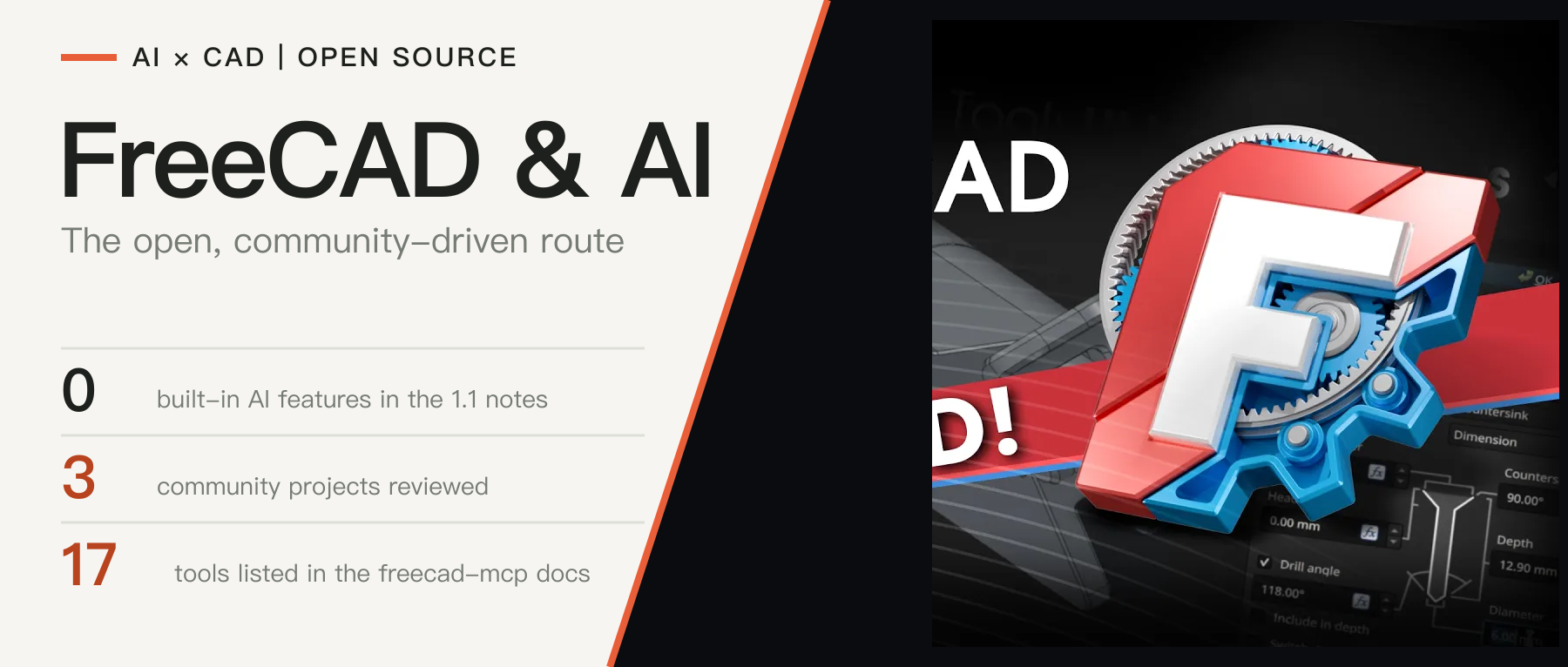
FreeCAD's core has no built-in AI design features and no public plan for them; AI capabilities come from community projects built on its Python interface foundation. We review the foundation and its gaps, the coverage and responsiveness of four community projects, and the strengths and costs of this route.
In this article
FreeCAD is an open-source parametric modeler released under the LGPL. It is developed by a community and supported financially and administratively by a non-profit, the FreeCAD Project Association (FPA). In 2026 it released version 1.1 (announced on March 25) and the maintenance release 1.1.4 (September 28); the second release candidate of the new version 26.3 followed on October 18 [1][3][4].
This article sets out the current state of AI-assisted design in FreeCAD: whether the core project has built-in AI design features or published plans for them, what interface foundation it offers to AI, which community projects connect AI to it and how far they cover the software and how responsive they are, and what to watch next. Sources were checked as of October 25, 2026. No AI add-on was tested for this article, and the star and download counts quoted are indicators of attention, not of quality or of how widely a project is used.
1. The core project: no built-in AI design features, but an interface foundation
1.1 Built-in features and plans
The announcement and release notes for FreeCAD 1.1 list new features such as Part Design previews, interactive draggers, assembly and FEM improvements and a new CAM tool library; none of them is an AI feature [1][2]. The 2025 annual report lists documentation, testing and release-cycle stability as the priorities for 2026, and AI is not among them [10].
On the idea of building an AI assistant into the program interface, the public record shows the project leaving it to the community. In June 2026 someone proposed in the core repository a prototype of a dockable chat panel in which a large language model turns natural language into FreeCAD Python commands and runs them. A maintainer replied "please use the forum or Discord for such discussions", and the issue was closed as not planned [11]. This article therefore concludes that the core project has no public plan for built-in AI design features; the judgment rests on the public record and does not exclude internal discussion.
1.2 The interface foundation
No built-in AI does not mean AI cannot use the software. Whether an external AI can drive a CAD program depends mainly on whether it offers a complete, programmable interface. FreeCAD has four publicly documented foundations:
| Foundation | What the documentation says | Meaning for AI integration |
|---|---|---|
| Built-in Python interpreter | The Python console gives access to all of FreeCAD's Python modules, such as Part, BIM and Draft; the core module needs no import [9] | Scripts written by a model can create and modify objects directly, with coverage close to the GUI |
| Actions as commands | Every action in the interface prints a matching Python command, which can be recorded as a macro, or a macro can be written without recording [8] | Provides many examples a model can refer to, and lets verified scripts be kept as macros |
| Headless operation | Can be started with FreeCADCmd, or imported as a standard Python library to call the full interface from outside scripts [9] | AI workflows can run on servers or in batch jobs without a desktop |
| Open add-on mechanism | Third-party add-ons are distributed through the add-on manager; workbenches and macros extend the interface [5][8] | The integration layer can be published as an add-on without changing the core |
The foundation has three limits. First, the official documentation warns that API usage that directly manipulates GUI components is "very limited and generally not supported" in headless mode [9], so operations that depend on the view and selection state still need the full interface. Second, the foundation says what can be done, not that generated geometry is valid; that has to be checked by the integration projects on top (see Section 2).
Third, the script path and the interface path do not necessarily behave the same. In October 2026 a user driving the CAM workbench through MCP to generate G-code found that dress-up operations such as tags work in the interface, but when created from Python they leave the original cut in place, so the part is cut free of the stock. A maintainer reproduced the problem: for these operations the original cut is removed only in the interface's view provider, which a pure script path does not have. The issue title says nine more operations are affected, and the issue was still open on the check date [12]. How much of FreeCAD an AI can cover through the Python interface therefore depends on whether each workbench's scripting interface matches its interface behavior.
2. Community projects that connect AI to FreeCAD
2.1 Four representative projects
With this foundation, outside projects can connect AI without changing the core. This article reviewed four representative projects [5][6][7][13]:
| Project | Form | License | Public information |
|---|---|---|---|
| neka-nat/freecad-mcp | MCP server plus an add-on inside FreeCAD | MIT | About 3.1k GitHub stars, 362 forks and 29 contributors; the documentation lists 17 tools and can create and edit models, run Python scripts, inspect documents and run FEM analyses [6] |
| spkane/freecad-addon-robust-mcp-server | MCP server plus an MCP Bridge workbench inside FreeCAD | MIT | About 259 GitHub stars and 64 forks; the README claims more than 150 tools, listed by category including sketching, pad, fillet, patterns, import and export and macro management, with XML-RPC, socket and headless running modes [13] |
| MCP Bridge (CREATeNG) | Add-on in the FreeCAD add-on list | MIT | Listed on freecad.org, version 0.1.24, updated 2026-10-24, 3,066 downloads in total; gives AI agents access to the open FreeCAD session and works with local MCP clients [5] |
| ghbalf/freecad-ai | Chat-panel workbench inside FreeCAD | LGPL-2.1 and CC0 | About 589 GitHub stars; Plan and Act modes, 50 structured operations, 24 model providers including local Ollama; describes itself as alpha software that may crash FreeCAD with LLM-generated code [7] |
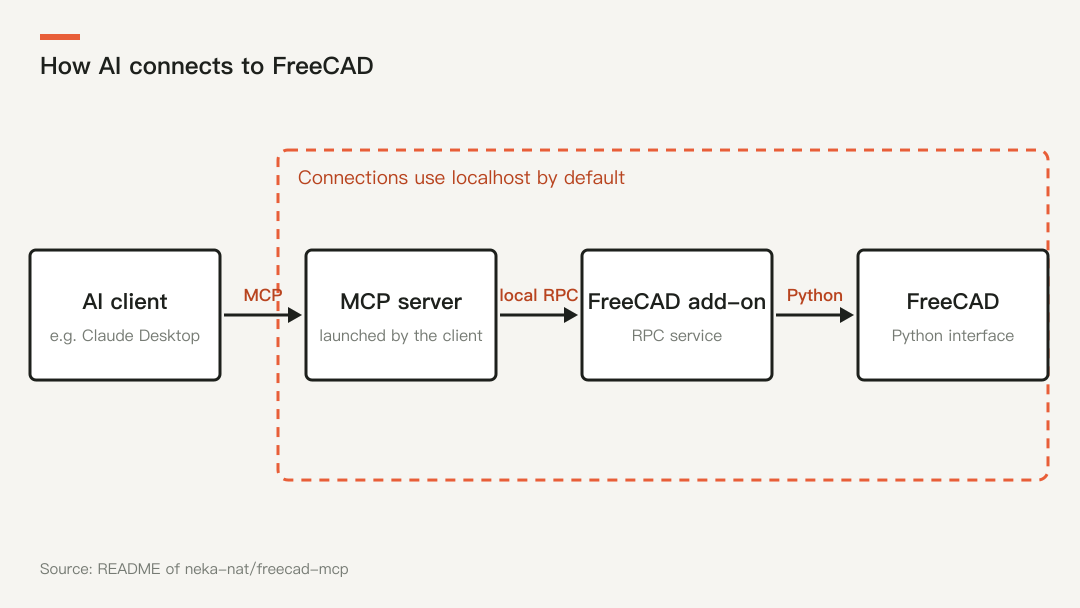
Figure 1: The connection structure described in the neka-nat/freecad-mcp README. The AI client launches the MCP server, which connects through a local remote call to an add-on running inside FreeCAD, and the add-on calls FreeCAD's Python interface. Drawn by CADFrontier.
2.2 Coverage and responsiveness
First, coverage. The freecad-mcp documentation gives a fairly complete tool list and execution model [6]:
| Aspect | What the documentation describes |
|---|---|
| Documents and objects | Create and list documents; create, edit, delete and query objects; reload a document changed by an external script |
| Visual feedback | Some operations return a screenshot of the current view by default, in a chosen view such as isometric, front or top; --only-text-feedback turns screenshots off to save tokens |
| Code execution | Three modes: on the GUI thread; asynchronously in the background with status polling; headless in a separate freecadcmd process |
| Domain features | Insert parts from the FreeCAD parts library; run CalculiX on an existing analysis and return summaries such as maximum von Mises stress and displacement |
freecad-mcp relies mainly on general code execution, so its coverage is essentially that of FreeCAD's Python interface. The Robust MCP Server and freecad-ai instead split common modeling steps into structured tools, such as drawing lines in a sketch, pad, pocket, fillet, patterns and STEP export [7][13]. This article considers that structured tools make each step's parameters inspectable, while code execution has the widest coverage and the greatest risk, so the two approaches involve a trade-off; it found no comparative evaluation of them.
Next, responsiveness. The freecad-mcp documentation discloses several mechanisms and limits [6]:
- GUI-thread operations run one at a time in first-in, first-out order;
execute_codehas a default queue and execution budget of 90 seconds, which can be raised up to 1,800 seconds. - Once an operation starts on the GUI thread it cannot be safely cancelled; after a timeout the task keeps running but its result is discarded, and if an operation exceeds its execution budget, later GUI operations are rejected until it returns.
- Heavy geometry work is better placed in the async or headless mode; the latter runs in a separate process, so a native crash ends only that process and the GUI and its open documents are unaffected.
- The documentation notes that a successful script run does not prove the geometry is valid.
Responsiveness is thus limited by the single GUI thread, and long tasks require the caller to use the async or headless modes. This article did not test any of this; all of the above is the project's own description.
2.3 Summary: two differences and one risk
First, the connection model differs from commercial software: all of them are maintained by third parties and installed by users, and connections are made on the local machine by default [6]; projects that support local models make it possible to avoid uploading design data to a cloud service [7]. Second, maturity varies: one project describes itself as alpha and warns of crashes [7], and this article found no independent evaluation of any of them.
There is also a security risk. The freecad-mcp documentation says execute_code runs arbitrary Python inside FreeCAD with the user's permissions; by default it listens only on the local machine, and when remote connections are enabled an auth token should be set, and traffic is not encrypted [6]. The convenience of connecting AI and the permission to execute code are the same thing.
3. Discussion and conclusion
Compared with the commercial software covered earlier, FreeCAD takes a different route. Autodesk Fusion has an in-product assistant and three vendor-documented MCP servers, and SOLIDWORKS and Siemens NX also have official AI features or announcements. FreeCAD's core project has no built-in AI design features and no public plan for them, but provides a Python interface, macros and headless operation as a foundation; its AI design capabilities come from independently maintained community projects built on it.
This article concludes that the strengths of this route are structural: a complete and open interface foundation, permissive licenses, the option of local models, data that can stay on the local machine, and an integration layer that the community can iterate on quickly. The costs are equally clear: connecting projects vary in quality and lack official backing and shared evaluation; script behavior may differ from interface behavior [12]; and the permission to execute code has to be managed by the user. The community-driven route therefore has an advantage in controllability and openness, but on the maturity of its AI design capabilities the public material does not support a conclusion that it is ahead or behind.
Four things are worth watching: the final release of 26.3; whether the mismatches between script and interface behavior, such as CAM dress-ups, are fixed; whether the core project changes its present position of not building AI design features, even if only by offering an official specification for AI interfaces; and whether these connection projects build up a stable base of users and maintainers within the add-on ecosystem.
Sources & further reading
- FreeCAD blog: FreeCAD version 1.1 released ↗Source region: International
- FreeCAD 1.1 release notes page ↗Source region: International
- FreeCAD blog: FreeCAD 1.1.4 released ↗Source region: International
- FreeCAD blog: FreeCAD 26.3 Release Candidate 2 ↗Source region: International
- FreeCAD website: add-ons list (MCP Bridge) ↗Source region: International
- GitHub: neka-nat/freecad-mcp (README and docs/) ↗Source region: International
- GitHub: ghbalf/freecad-ai ↗Source region: International
- FreeCAD Documentation: Macros ↗Source region: International
- FreeCAD Documentation: Headless FreeCAD ↗Source region: International
- FreeCAD blog: 2025 annual report and plans for 2026 ↗Source region: International
- FreeCAD repository: issue #30896 (AI assistant panel proposal) ↗Source region: International
- FreeCAD repository: issue #33599 (CAM dress-ups via Python/MCP) ↗Source region: International
- GitHub: spkane/freecad-addon-robust-mcp-server ↗Source region: International