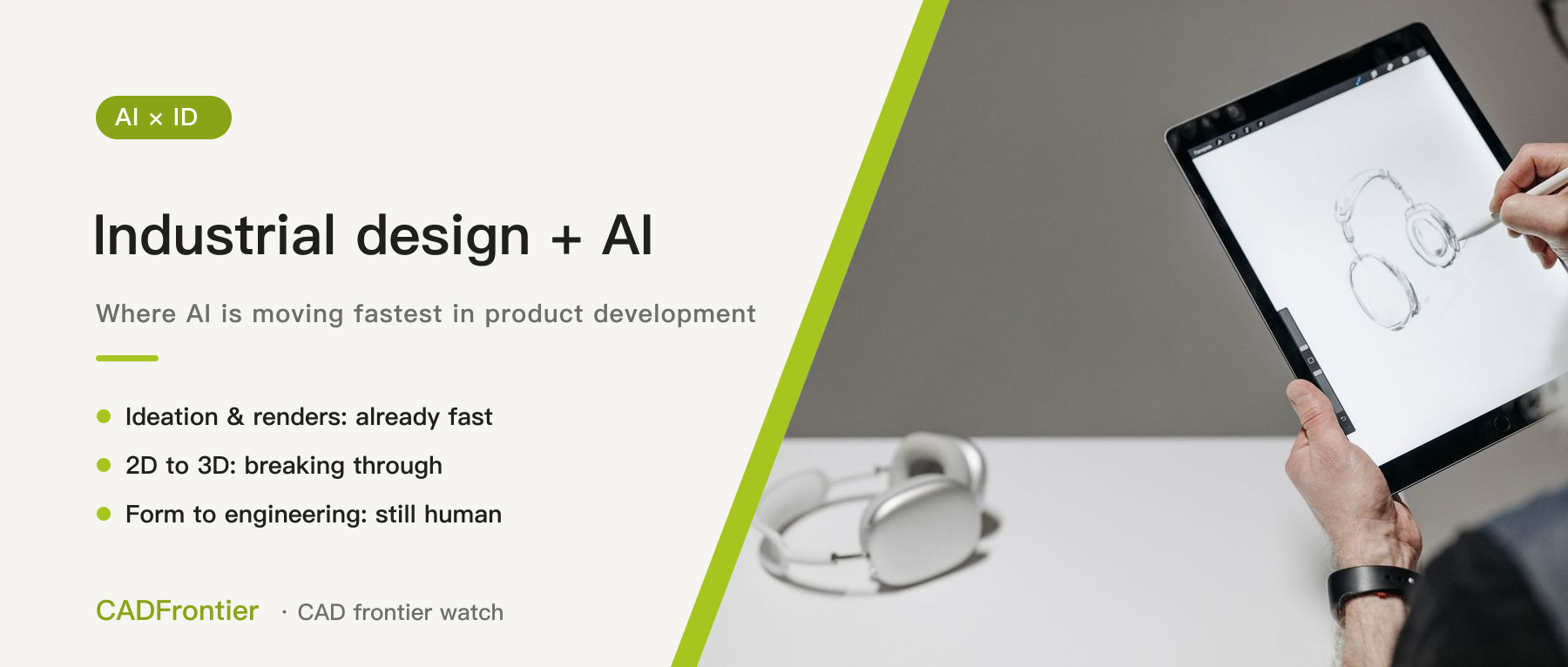
Industrial design: where AI is moving fastest in product development
AI renders keep getting more striking, and industrial design has become the stage of product development where AI is moving fastest. We lay out the ID workflow and the five places AI sits: ideation, renders and colourways are already fast, while the hand-off from form to engineering still relies on people.
In this article
Over the past two years, AI-generated product renders have become almost indistinguishable from the real thing — "one sentence, one pair of headphones" is now an everyday sight. But what has actually changed for industrial designers? Do they just draw faster, or has the way they work changed? This article lays out the whole industrial design (ID) workflow and looks at where AI sits today and how far each part has come. It is the first in a series on AI and industrial design: we draw the map first, then go deeper into the key directions in later pieces. Sources were checked as of November 4, 2026.
1. Five places where AI sits in the ID workflow
From brief to hand-off to mechanical engineers, ID roughly runs: ideation → sketching → renders → CMF (colour, material, finish) → form modelling → hand-off to engineering. AI currently sits in five places:
- Ideation and render generation: producing concept images directly from text or reference images.
- Sketch to render: turning hand-drawn line work into realistic renders.
- CMF exploration: changing colours, materials and finishes on the same image.
- 2D to 3D: generating a 3D volume from an image.
- Form-to-engineering hand-off: turning the form into surfaces and CAD that engineers can take over.
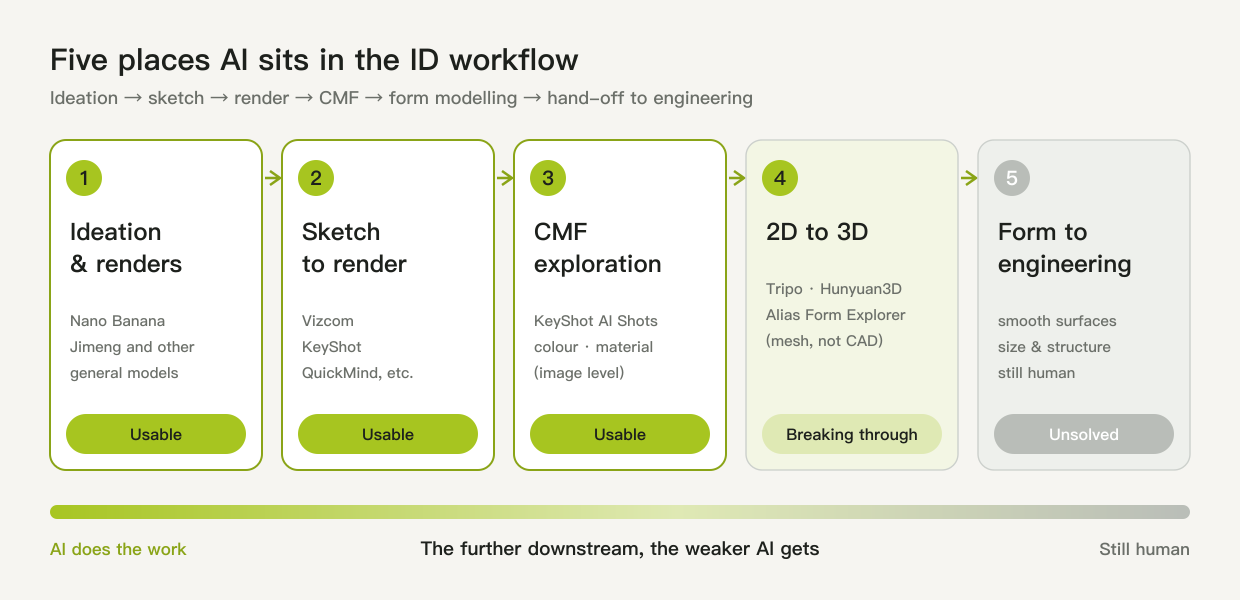
Figure 1: The ID workflow and the five places AI sits. The further downstream, the weaker AI gets. Drawn by CADFrontier.
2. Already usable: the front half
Ideation and renders: general image models are now everyday tools. Google's Nano Banana family (Nano Banana 2 launched in February 2026) is built around multi-turn editing — revising the same image repeatedly instead of regenerating from scratch; in China, platforms such as Jimeng lower the bar with Chinese-language prompts, and many designers use them to explore directions and mood images.
Sketch to render: this is where AI has gone deepest into professional ID work. The flagship is Vizcom, which renders in real time as you draw and can change views and materials. It closed a USD 27 million Series B in October 2025 and says it serves more than 700,000 designers and over 150 companies, including Ford and Target. China also has ID-specific tools such as QuickMind and Yihao Design, focused on line-art-to-render and CMF exploration.
CMF variants: rendering software is adding AI too. KeyShot's AI Shots can swap materials, colours and finishes from a single prompt while preserving the original lighting, camera and model geometry, and everything runs locally; version 2026.1 added a local Edit Mode and switched the underlying model to a modified version of Alibaba's Qwen.
What these capabilities share is that they cut "an image good enough to discuss" from days to hours.
3. Breaking through: 2D to 3D
Going from image to 3D is the hottest stage right now — and the easiest to overrate. Tools such as Tripo, Meshy, Rodin and Tencent's Hunyuan3D can generate a 3D model from a single image in tens of seconds, but everything they output is a mesh (GLB, OBJ, STL), not CAD.
Autodesk has added an AI plug-in, Form Explorer, to its automotive styling software Alias: the March 2026 version turns sketches, renders and canvases into proportionally scaled 3D meshes; Alias 2027 says it can turn 2D reference images into clean, proportionally stable meshes in minutes, compressing what used to be days of volume blocking and cleanup. The official material, however, frames all of this around automotive exteriors.
Such meshes are good for volume reference, early reviews, or printing a quick model to check proportions — but they are still far from real form data. One review says plainly that Vizcom's 2D-to-3D meshes are "too messy for actual CAD engineering".
4. Not yet solved: the back half
What really gets stuck is the hand-off from form to engineering:
- Surface quality: ID ultimately has to deliver continuous, smooth surfaces, and AI meshes still have to be rebuilt by people. Autodesk's own route is "AI produces a mesh first, then Alias Reform or Retopo rebuild it into surfacing-ready geometry".
- Dimensional and structural constraints: a render doesn't know how big the battery inside is, where the screw bosses go or how thick the walls are; a good-looking form may not fit what it has to hold.
- Consistency of design language: keeping a whole product family in one design language is still beyond what AI does well; Form Explorer claims to learn a brand's historical styling, but only for cars.
Autodesk has announced neural CAD, which is meant to generate editable geometry directly, but it has not been released as of now.
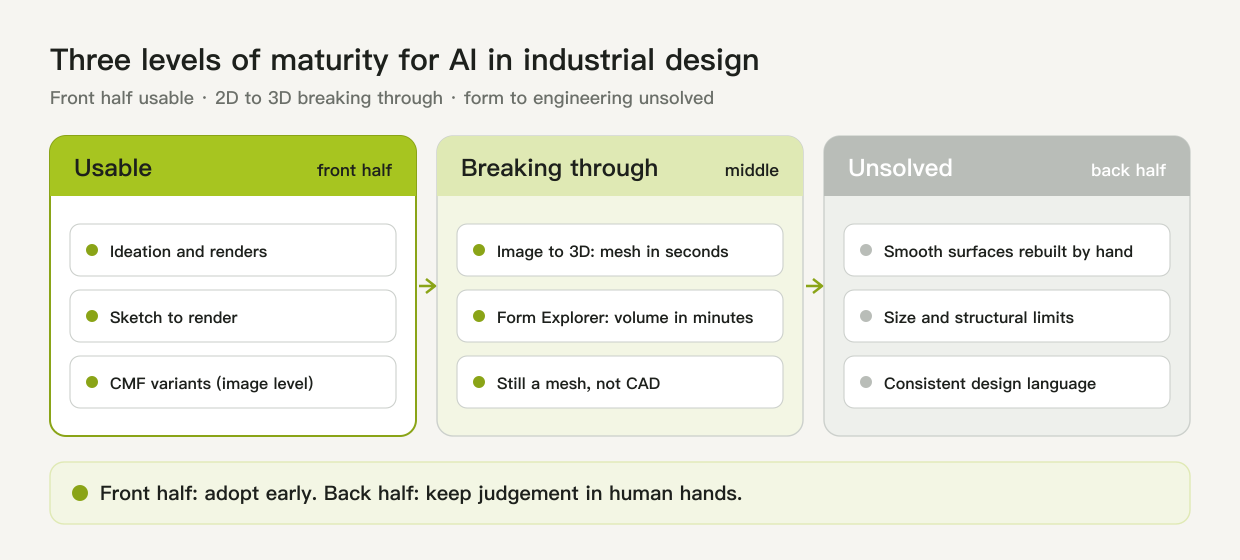
Figure 2: Three levels of maturity — the front half is usable, 2D to 3D is breaking through, and form to engineering remains unsolved. Drawn by CADFrontier.
5. My view: the bottleneck has moved from "drawing fast" to "judging right"
Across the whole product development chain (ID → CAD → CAE → CAM → manufacturing), AI has landed fastest in the front half of ID: renders and sketch-to-render are everyday tools. In CAD, by contrast, having an LLM generate a parametric model directly works reasonably for basic geometry but degrades substantially on complex topology and advanced features; and in CAM, both this site's pieces on the state of AI CAM and Siemens NX CAM concluded that AI still stops at "propose, then wait for a human to approve".
AI has made the front half of ID very fast: in one afternoon you can look at dozens of directions and colourways. But the easier images are to make, the less scarce they become. What becomes scarce is judgement: which direction is right, which image can actually be built, and what to change so it is both beautiful and manufacturable.
Research backs this up. Two researchers from the Oslo School of Architecture and Design and Lund University interviewed 20 expert industrial designers with 8 to 40+ years of experience and reported at the DRS 2026 conference that, under pressure for speed and efficiency, designers and design businesses rushing to adopt AI risk cognitive offloading and losing control over many micro-decisions in the design process.
My reading: AI is great for "seeing more", but not for "choosing for you". Where a line goes, where the parting line sits, whether a fillet is a little bigger or smaller — these micro-decisions are exactly where industrial design expertise lies.
So my take on AI and industrial design is: in the front half, the earlier you use it the better; in the back half, judgement must stay firmly in human hands. Follow-up pieces on this site will go deeper into sketch to render, CMF, render to 3D, and render to manufacturable.
This article is an editorial analysis based on public material; vendor figures and feature descriptions follow official material and were not tested hands-on. The illustrations are conceptual diagrams drawn by CADFrontier; the cover photo is from Pexels.
Sources & further reading
- Renderahouse: Nano Banana uses, limits and workflow ↗Source region: International
- China.com: 2026 AI design tools (Jimeng) ↗Source region: Mainland China
- Vizcom blog: Announcing our Series B ↗Source region: United States
- Vizcom product page ↗Source region: United States
- The Smart Makers: Vizcom Review 2026 ↗Source region: International
- CSDN: four AI industrial design tools compared (2026) ↗Source region: Mainland China
- CG Channel: KeyShot releases KeyShot Studio 2026.1 ↗Source region: International
- KeyShot blog: Introducing AI in KeyShot Studio ↗Source region: International
- Pixazo: best AI 3D model generators (2026) ↗Source region: International
- Autodesk Design Studio blog: Canvas to mesh ↗Source region: International
- Autodesk Design Studio blog: What's new in Alias and VRED 2027 ↗Source region: International
- DEVELOP3D: Autodesk's AI blueprint for CAD ↗Source region: International
- DRS2026 paper: A survey of generative AI adoption amongst industrial design experts ↗Source region: Europe
- arXiv: Text2CAD-Bench, a benchmark for text-to-parametric CAD ↗Source region: International